Bulk Connect
When you need to wire two connectors together quickly, use the Connection Matrix. Right-click a connector and choose Bulk Connect, then click the target connector (or a cable) to open the matrix.
The matrix shows a 2D grid — rows are pins of connector 1, columns are pins of connector 2. Click cells to create connections, or use one of the built-in patterns:
- 1:1 — straight mapping (pin 1→1, pin 2→2, etc.)
- Reversed — mirror mapping (pin 1→last, pin 2→second-last, etc.)
- Interleave — swap adjacent pairs (1→2, 2→1, 3→4, 4→3) for twisted pair wiring
- Clear — remove all pending connections
Set default color, stripe, and AWG in the toolbar before applying a pattern, or click individual pending connections to customize each wire’s properties. When one component is a cable, core properties are used automatically.
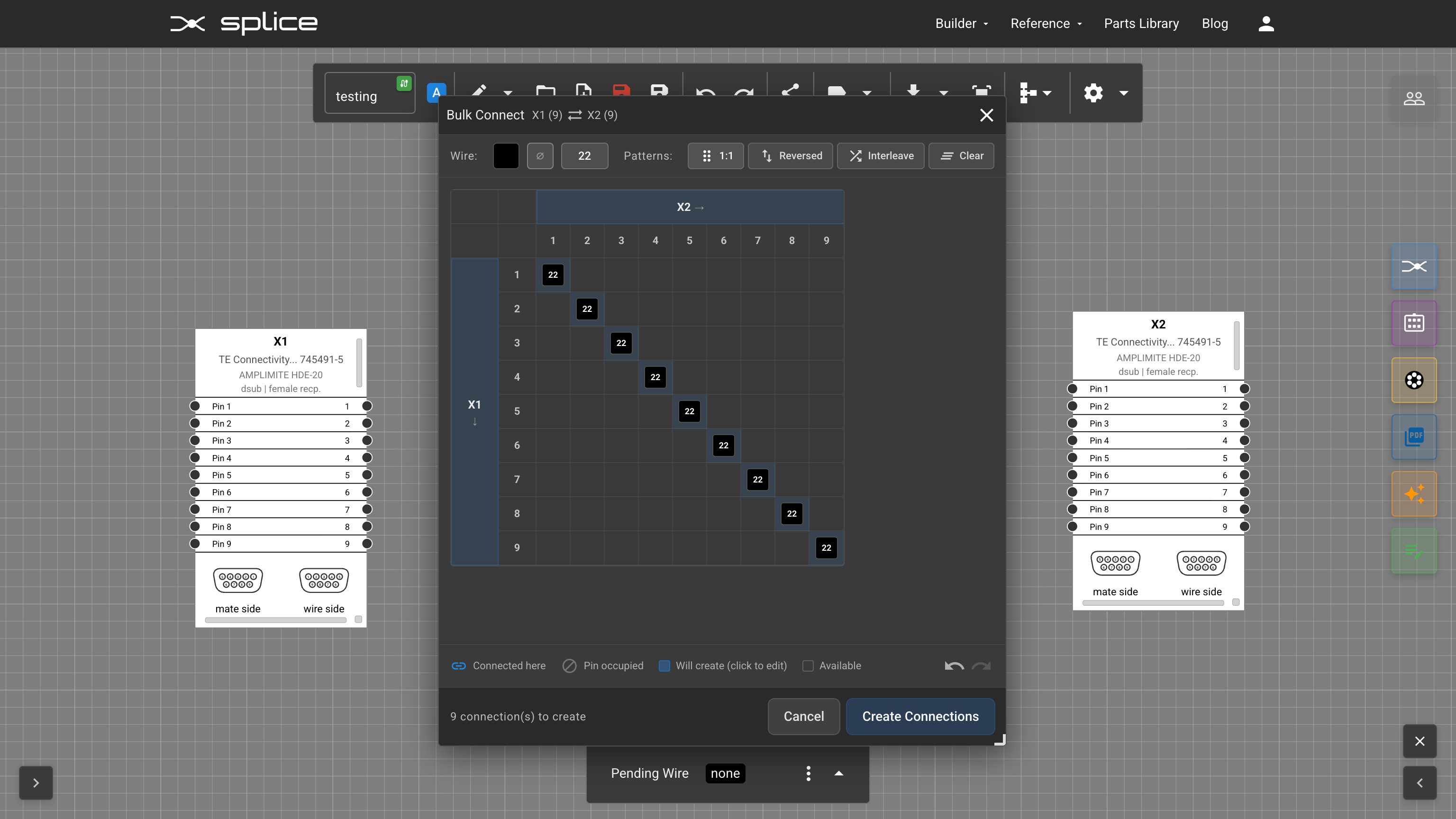
The Connection Matrix — apply patterns like 1:1, Reversed, or Interleave to quickly wire two connectors together.
Bulk Connect in action — select a pattern, customize wire properties, and create all connections at once.